Colour Schemes - Custom Node - Substance Designer

Complementary Colour Palette (Image Mode)

Split-Complementary Colour Palette (Image Mode)

Triadic Colour Scheme (Image Mode)

Tetradic Colour Scheme (Image Mode)

Analogous Colour Scheme (Image Mode)

Monochromatic Colour Scheme - Shade (Image Mode)
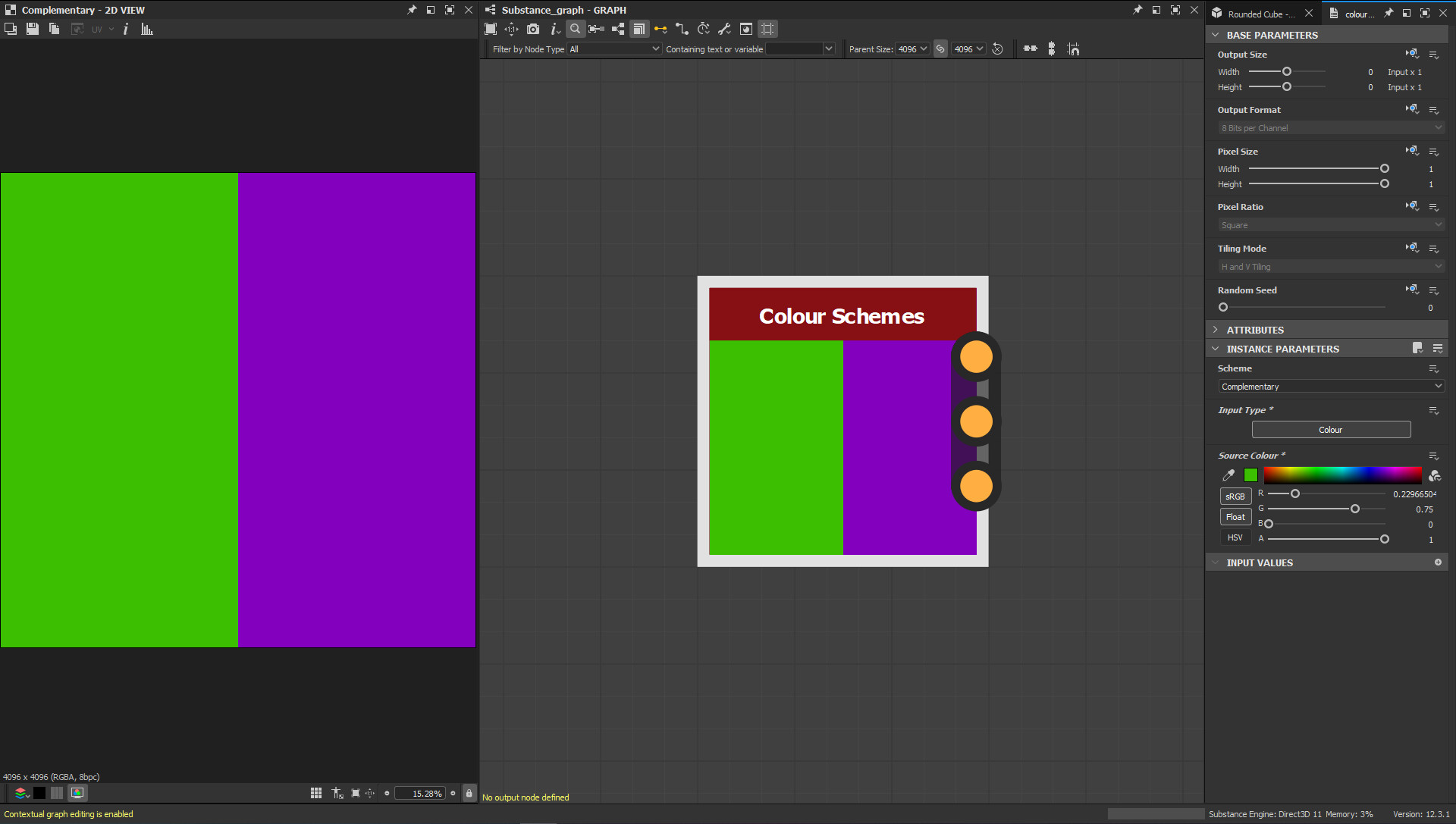
Complementary Colour Palette (Colour Mode)

Tetradic Graph (showing colour and image inputs and their separate operations)

Triadic Scheme - Function Graph - Example

Main Node Graph Assembly
While browsing Artstation and seeing various posts discussing colours and palettes, I had the idea to create a node that could sample a colour from an Input Image and generate various colour scheme palettes from it.
.
Then I got to work in Designer using the pixel processor I was able to build the relevant graphs, expose the right parameters and form what I now have as the Colour Schemes node.
.
The node has the option to switch between an Image Input with a colour picker or a single colour input, then via a drop down menu, you can select your desired palette.
.
I focused on 6 colour schemes; Complementary, Split-Complementary, Triadic, Tetradic, Analogous and Monochromatic.
(Monochromatic is further split up into Tint, Shade and Tone.)
.
Be great to hear what people think and I hope at some point to do a blog breakdown to go alongside this post.